Building a Faster Time Tracking Workflow with Tauri and Rust
On this page
Introduction: Why I built Timekeeper
This is one of those “spend two weekends to save five minutes a day” projects 1. Jira time logging was starting to drain the fun out of my day. It was slow, clicky, and it broke my flow. I could only add one entry at a time, the UI would hang while saving, and some tickets took 30+ seconds to update. That friction made me avoid logging time until it turned into a fire drill, followed by the classic PM “friendly reminder.” And even when I did log everything, I still had to write a Weekly Status Report manually, which is just extra work and extra surface area for mistakes. So I built Timekeeper: a weekly time-tracking app that feels like a fast text editor instead of a spreadsheet.
My first instinct was to build a Vite web app with React, but I quickly hit a wall: some features really needed a desktop app. My expertise mostly lies in TypeScript, so Rust and Tauri were both new to me. With an AI-augmented workflow, I was able to get up to speed quickly enough to ship something real. This post sets the stage for deeper technical write-ups: what I built, why it’s fast, and what I learned along the way.
TL;DR: I wanted time tracking to feel instant and low-friction, so I built a tiny local-first app that logs my week, auto-generates WSRs, and never makes me open Jira. The entire app design, UI/UX and microinteractions are designed and built by me.
Technical and Performance Design Goals
Instead of just fixing the pain points, I wanted something that would make time tracking feel like a natural part of my day. That meant:
- Fast enough to use daily (no waiting between entries).
- Batch-friendly (log a whole day/week without fighting the UI).
- No double work (WSR should come out of the same data as Jira).
- Low effort to stay consistent (shortcuts and suggestions should do the heavy lifting).
That's when I realized I wasn't just building a tool. I was building a workflow. This side project quickly became a masterclass in performance overengineering, and honestly, I loved every minute of it.
Introducing Timekeeper
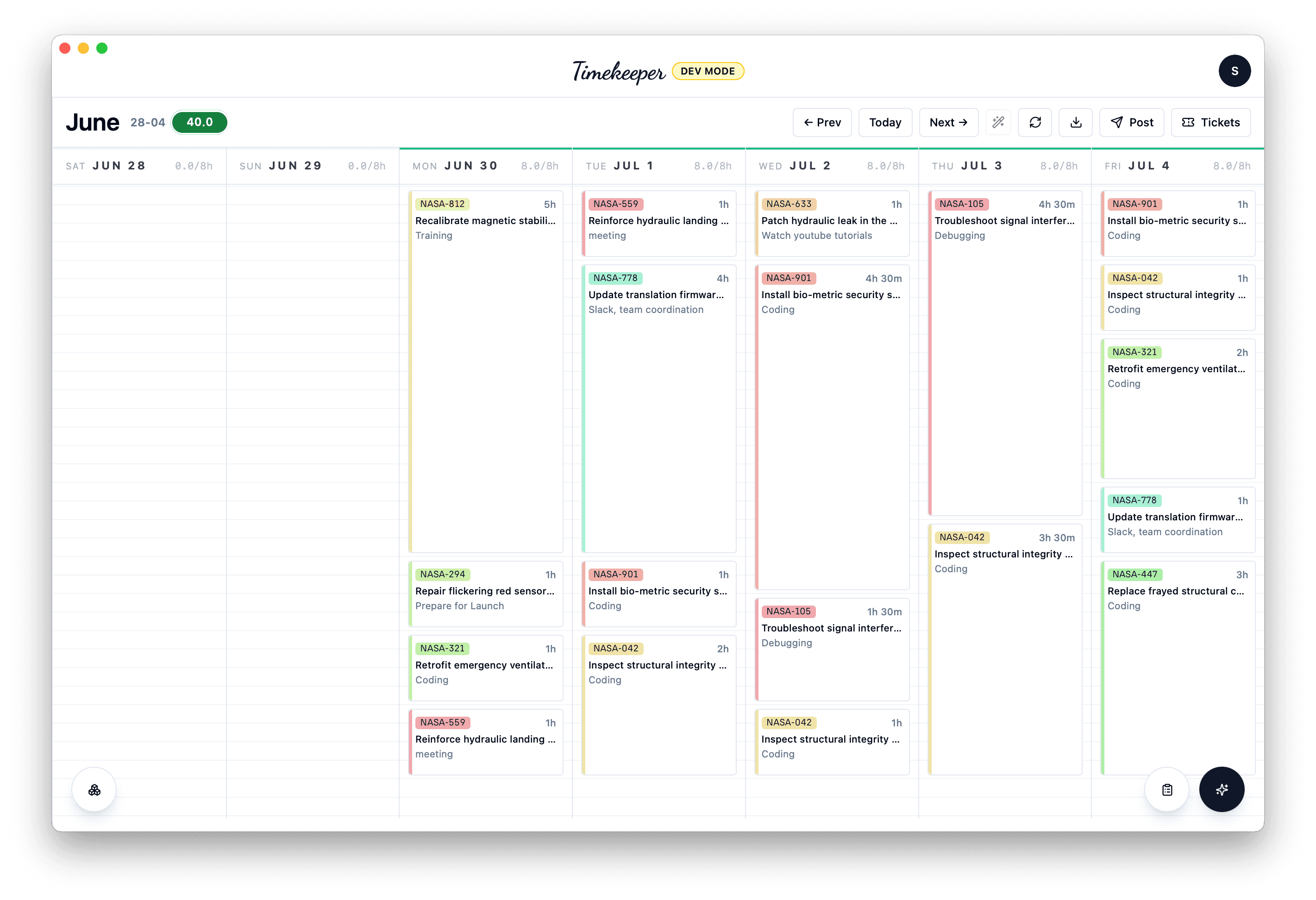
Timekeeper is a weekly grid with 15‑minute blocks, but the important parts are the shortcuts:
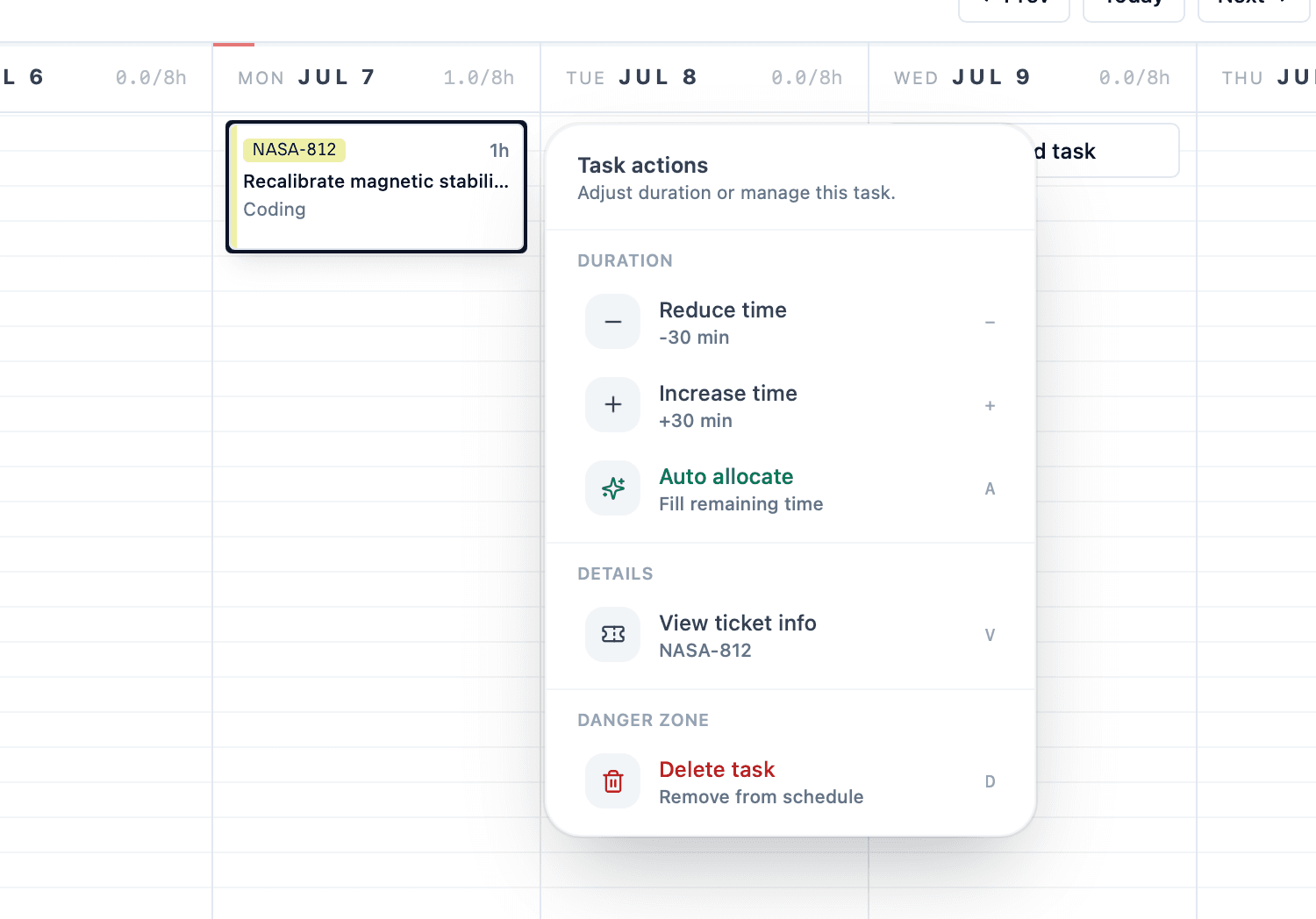
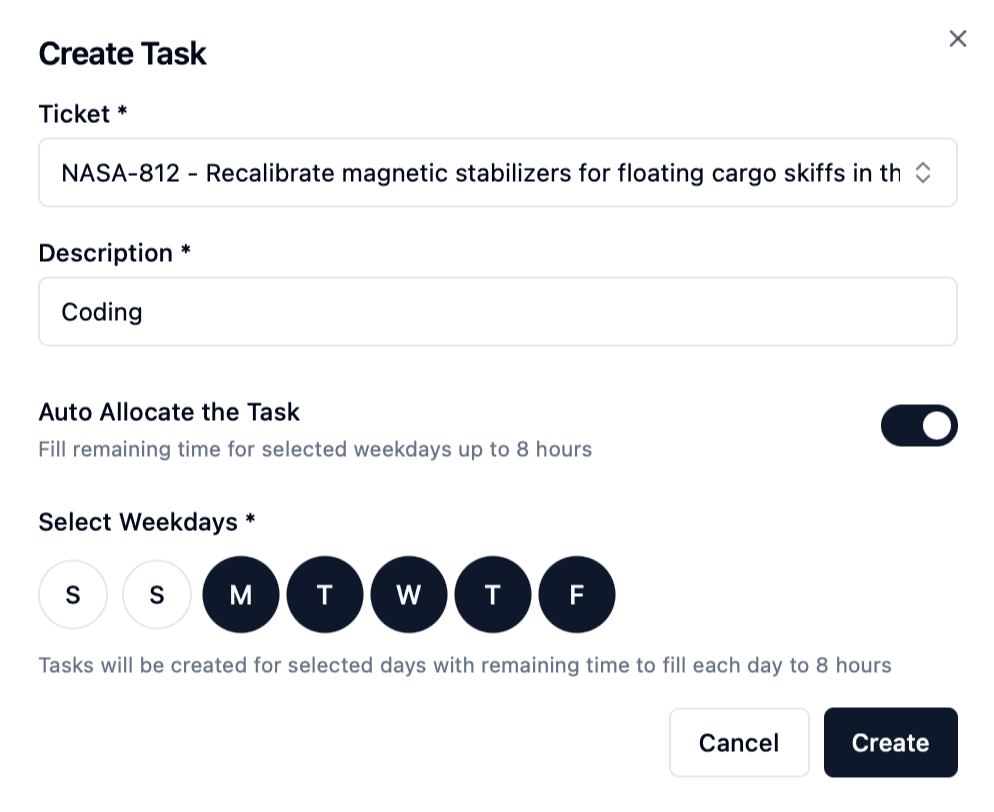
- Auto‑allocate fills the remaining time in a day/week based on target daily hours (because doing math in a calendar is not the vibe).
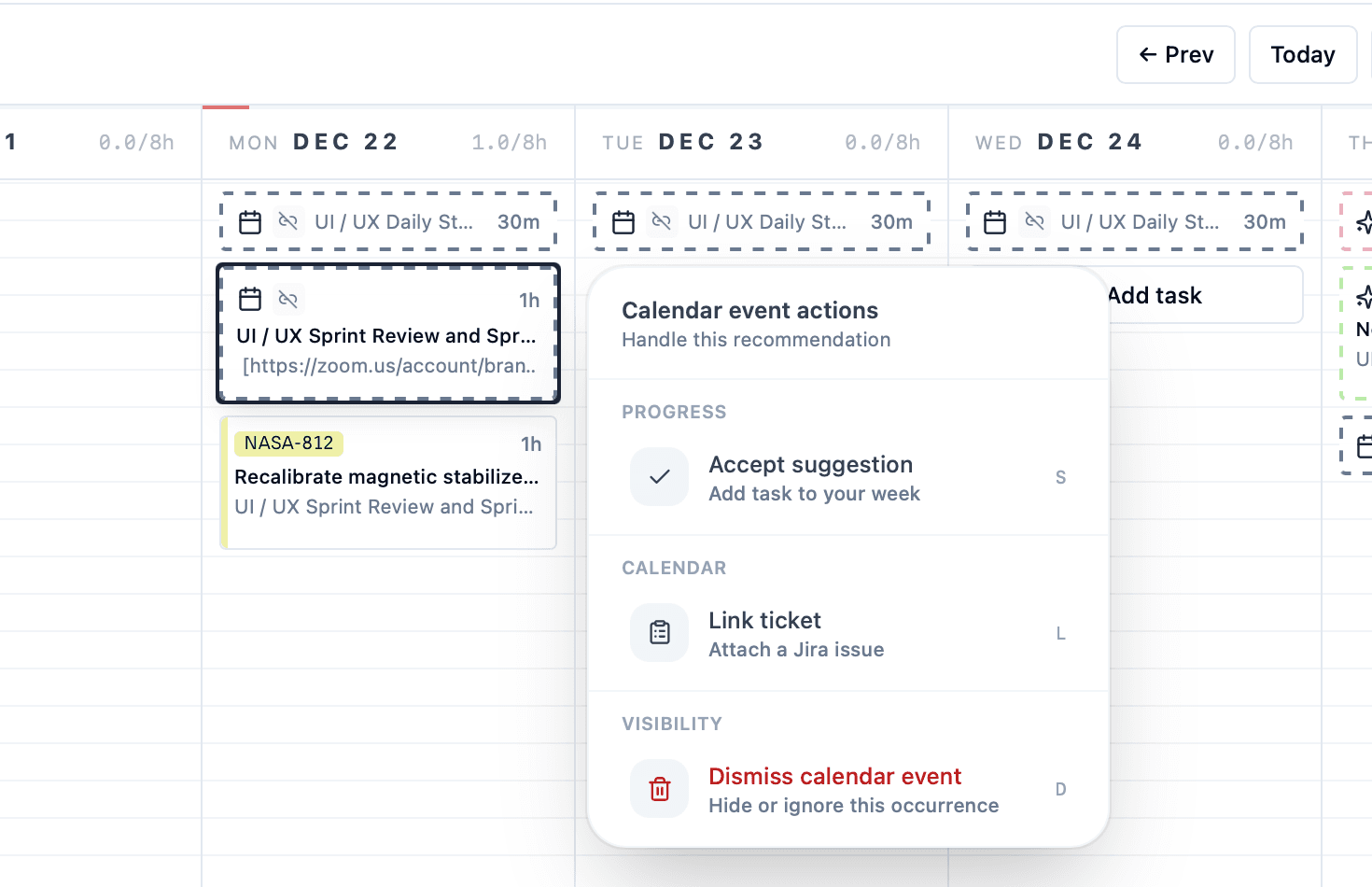
- Calendar suggestions pull in external events and let you turn them into time blocks with one click, so meetings become entries without retyping.
- Command palette (⌘ Cmd + K) lets you log time in one line of natural-ish text, with a live preview. For example, typing
812 2h codingcreates a 2-hour entry on ticket 812 with the description “coding” for today. You can also specify dates, tags, and flags, such as using--aato auto-allocate a task for the entire day.
- WSR report generation exports a CSV and runs the
wsrCLI to produce internal reporting without leaving the app. The WSR CLI, which I also built, takes a PPTX file in a predefined format and fills it up with the time entries from the CSV, generating a report for the higher-ups. Something that used to take me more than 15-20 minutes and was error-prone now takes less than 5 seconds to generate. - One way Jira sync makes sure that time entries land in Jira without me having to open the Jira UI at all.
- Delightful experience with animations, microinteractions and sound effects. For example, when the target hours for the day and week are met, there is a delightful animation + tada sound that plays out. Small details like these make the app more enjoyable to use.
Under the hood there is more going on: there's ability to create recurring Activity Batches (for repetitive time entries), intuitive drag and drop, Firestore plus local state so it behaves like a local-first app, and the ability to create new tickets or instantly import them from Jira by ID or name to save even more time.
The tech behind it
Once I had the basic feature working out, I kept setting stretch goals for myself to learn new things. Here are some of the technical highlights.
Why a desktop app for a “boring” workflow?
Jira time log sync and WSR generation both need to hit local CLIs and run on my machine, not just in a browser tab. That pushed me toward a desktop shell where I could talk to the filesystem and CLI safely, and then decide which bits should still be shareable as a web app. Rust + Tauri gave me that “real desktop app” feel without shipping an Electron-sized monster2.
The UI is a React 19 + Vite app shared by the web build and the Tauri desktop shell. I keep desktop‑only actions (like CLI calls and auto‑update checks) behind dynamic imports so the web bundle stays clean.
Blazing fast UI
The calendar has to feel “instant,” so I leaned on React Query for server state and optimistic updates. The UI updates first, and Firestore catches up later. It is basically a tiny local-first illusion, and it makes dragging or batch-adding time blocks feel immediate. I am a big fan of Vim, so naturally the app had to contain quick shortcuts. For example, pressing A auto-allocates the task for the whole day.
Auto‑allocate is a tiny scheduling engine
Auto‑allocate looks simple on the surface. It just fills the remaining time, but it still needs guardrails like rounding to 15‑minute blocks, checking remaining minutes, and respecting existing entries. That logic is where most of the edge cases live.
The spotlight command palette
If we don't do a bit of over-engineering, how are we going to learn? I ended up implementing a custom ⌘ Cmd + K flow, that parses a free‑form input into:
[TICKET] [TIME] [DATE] [FLAGS] [DESCRIPTION]
It's implemented as a small parsing pipeline (chain of responsibility), so each rule is isolated and easy to extend. I can add tags or priority flags without rewriting the core parser.
Auto‑updates so I don’t ship USB sticks
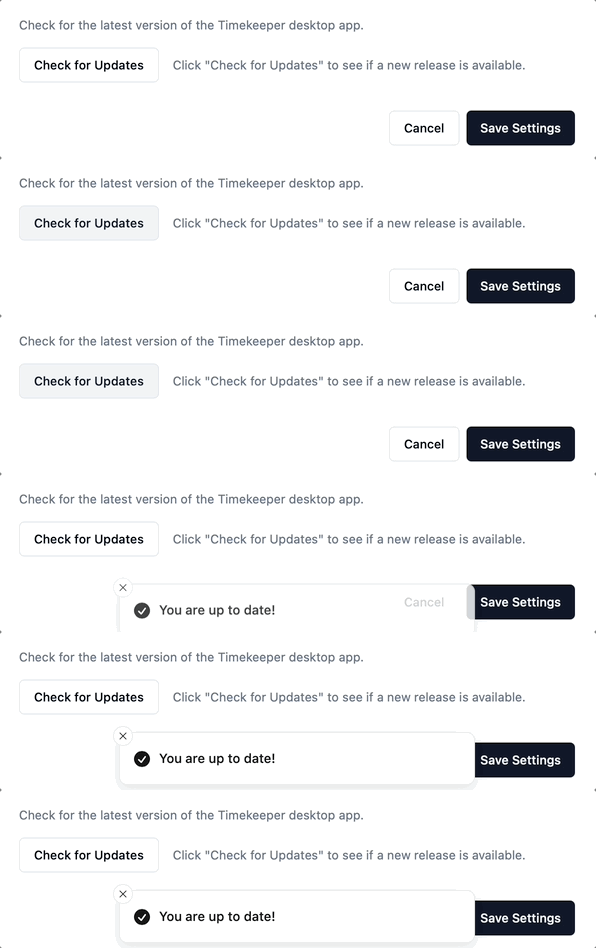
I have always been intrigued by auto-updating web and desktop apps. This was my time to shine. I implemented the auto-update functionality using Tauri’s updater plugin, which gives the desktop app a normal “check for updates → download → relaunch” flow. I had to fight a little bit with the GitHub Actions as well as S3 (where the build artifacts and the latest.json file is stored).
Takeaways
- Speed is a feature. If time logging feels slow, people avoid it. In this kind of workflow, perceived performance and optimistic UI matter more than perfect consistency.
- The app is the product, but the workflow is the value. Auto-allocate + suggestions + ⌘ Cmd + K matter more than any single screen, because they decide whether I stay in flow or bounce back to “I’ll do this later.”
What’s next
I have been using it for the past couple of months to enter my time logs to sync with Jira, and have never received another timekeeping reminder. All reports generated are accurate and timely. It has made me more disciplined in terms of entering my time, especially with the Command Palette. It's just so quick and delightful to use that I enter my time on an almost daily basis. I never have to look at the ugly Jira interface anymore. I'd love to showcase it to the wider team at work and see if it could be useful for other people too. I'd have to look into macOS app attestation to make sure I am distributing the app bundle correctly.
Thanks to Eileen Li, Software Engineer at StackAdapt, for reviewing a draft of this post.
Footnotes
-
https://www.reddit.com/r/ProgrammerHumor/comments/1bg7mwq/automation/ ↩
-
I had some prior experience building desktop apps with Electron, though not in-depth. One thing that impressed me most about Tauri was the ~6 MB app size versus 100 MB+ for an Electron app with similar functionality. ↩